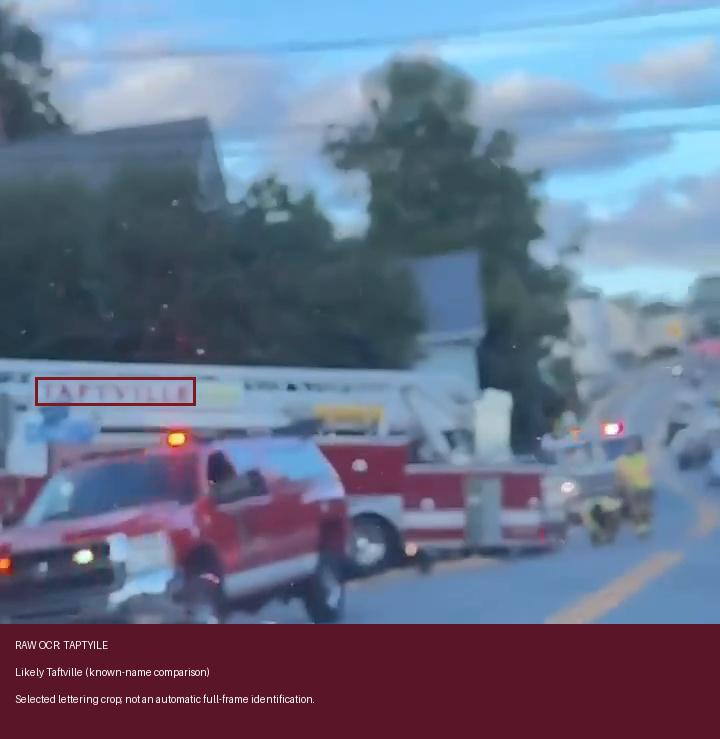
Large maroon boxes mark the detector’s predictions. Press play to watch the short example.
Recorded output from YOLO-World using the prompt “fire truck.” This page plays the result; detection runs on your computer with the downloadable project.
You need 64-bit Python 3.10–3.12. The first setup downloads dependencies; later runs reuse the environment.
Download and extract
Unzip the project into a folder on your computer. Keep the model and examples folders together. Install Python if needed.
Run the launcher
Open a terminal in the extracted folder. Choose the command for your system.
Linux / macOS
bash run.sh
Windows
run.bat
Watch, then try your footage
The app renders the boxes first, then opens a smooth video preview. Press Q to close or R at the end to replay. To process another local video:
python run.py --source "/path/to/your-video.mp4"
On Linux/macOS, use python3 if that is your Python command. On Windows, you can pass these arguments to run.bat.
Setup and saved-video processing were tested on Linux. Windows and macOS launchers are included but untested. Desktop playback needs a graphical session; the README covers Linux packages and a no-display option.
03 / CHANGE THE QUESTION
What else could it find?
Try an ambulance, a school bus, or another vehicle category. Start with a text prompt before investing in labeled training data.
START HERE · NO TRAINING
Try a different prompt
The included model is prepared for fire trucks. To try other classes, create a separate model with your chosen vocabulary. Its predictions will use those class names.
Show the commands
Run setup first. This optional step needs Git, internet, and a text encoder download. Commands below use Linux/macOS; Windows users substitute .venv\Scripts\python for .venv/bin/python.
Collect varied images of the vehicle category. Draw boxes around each target, add ordinary vehicles as negative examples, and reserve separate recordings for testing.
Train from pretrained weights, then check missed vehicles and false alarms on footage the model has never seen. Frames from the same clip belong together in one dataset split.
The detector can miss trucks or mistake other objects for them. It detects a vehicle category; it does not read department lettering, identify people, or establish vehicle ownership. Boxes are refreshed every third frame in the default demo, so they may lag slightly during fast motion.
The included reference video preserves the exact demonstration. Fresh predictions may vary slightly across computers. Your video stays on your computer during inference.
A separate OCR prototype reads a selected lettering crop. In two frames, the raw readings were TAPTYILE and FTYILLE. Comparing those imperfect strings with four department names produced “Likely Taftville.”
This is a tentative name inferred from OCR, not a verified full-name reading. The crop was selected manually. Automatic lettering location and reliable video tracking are still needed before this can become a department detector.
Includes source crops, raw results, and Python code. The separate OCR model downloads on first use. This experiment is not enabled in the main fire truck demo.